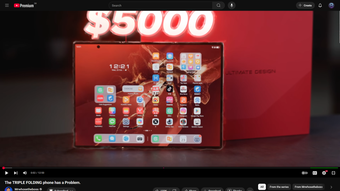
Keep YouTube videos fullscreen while scrolling comments and details
YouTube Scrollable Fullscreen, from Waldoocs, restores a removed YouTube behavior that lets viewers interact with page content while the player stays in fullscreen. The extension keeps the video anchored at the top while letting users scroll through the description, likes, related videos and comments without leaving fullscreen. It preserves standard keyboard shortcuts including the native 'F' toggle, uses a lightweight content script, and targets power viewers on desktop Firefox who read comments during playback.

Unlock your creativity with Adobe Stock
Get 10 images or 1 video with a free trial
What is YouTube Scrollable Fullscreen used for?
The extension restores fullscreen scrolling that YouTube removed, so the video remains visible while the rest of the page becomes scrollable. It removes the bottom recommendations grid that appears during fullscreen scrolling, enables access to the comments section and related sidebar, and keeps playback controls operable. These behaviors address the specific workflow of reading community responses while watching long-form videos.
How private is the extension's behaviour?
Privacy is explicit in the extension's design: it performs no analytics, tracking, or remote calls and does not collect user data. That disclosure means the add-on does not insert telemetry into page requests, reducing exposure of browsing data related to the extension itself. Users who prioritize minimal extension telemetry can rely on this stated approach.
Is it straightforward to use on desktop?
Installation and use stick to standard Firefox extension patterns. The add-on requires Firefox versionor higher and is built as a lightweight content script to avoid noticeable performance impact. It preserves the native 'F' fullscreen toggle and other keyboard shortcuts. Theatre mode is not modified, so the extension applies only to true fullscreen sessions.
How does the extension adapt to YouTube's changing UI?
Maintenance focuses on compatibility with script-driven updates. The developer publishes updates to keep the add-on working with both legacy and newer YouTube interfaces (noted compatibility with 2025 and 2026 UI changes), so the behavior is adjusted when site scripts alter the player layout. This reduces the chance of long-lasting breakage after UI shifts.
A practical choice for viewers who want integrated page interaction
YouTube Scrollable Fullscreen is a pragmatic option for power viewers who prefer reading community content without interrupting playback. Expect a focused, maintenance-backed utility that fits desktop Firefox workflows; assess browser-version requirements and fullscreen-only scope before relying on it across all viewing sessions. For users comfortable with browser extensions, it offers a narrowly targeted improvement to the viewing experience.